
How Can You Fix Removable-Array Laser Handpiece Errors?
A cosmetic laser handpiece recognition error usually originates at the removable array’s connector interface: contamination, bent or recessed pins, damaged plating, cable strain, incomplete locking, or a failed identification circuit. Clinics should first isolate…
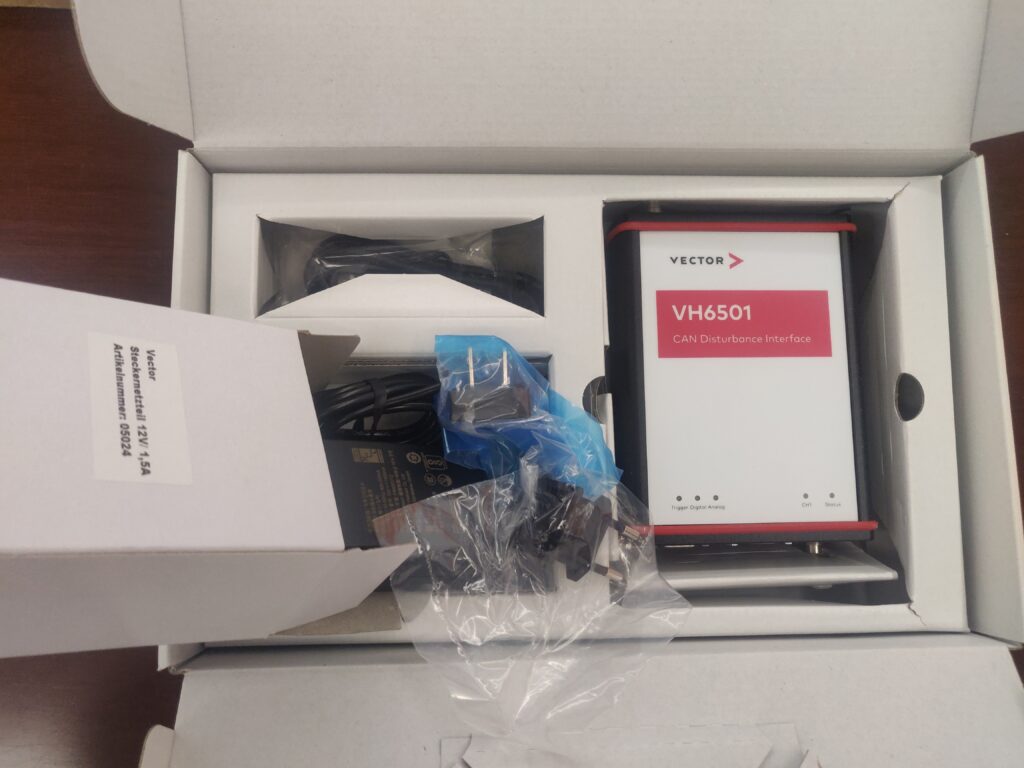
A cosmetic laser handpiece recognition error usually originates at the removable array’s connector interface: contamination, bent or recessed pins, damaged plating, cable strain, incomplete locking, or a failed identification circuit. Clinics should first isolate power, inspect and clean the contacts according to the manufacturer’s instructions, then verify pin continuity and handpiece compatibility. Repeated errors require qualified service—not repeated forced reconnection.
What Does a Removable-Array Handpiece Connection Do?
A removable-array handpiece connection transfers power, control signals, safety-interlock status, and identification data between the handpiece and the main aesthetic platform. The machine uses this exchange to confirm that the attached accessory is compatible and safe to operate before enabling emission or treatment functions.
Unlike a simple plug, a multi-pin medical-device connector may contain separate circuits for:
-
Handpiece identification or memory data.
-
Temperature, cooling, or contact sensors.
-
Trigger and safety-interlock signals.
-
Power delivery to lamps, motors, shutters, or cooling components.
-
Communication between the handpiece and the system controller.
-
Grounding, shielding, or fault-detection functions.
A recognition error therefore does not necessarily mean the handpiece itself has failed. The problem may exist in the console socket, detachable cable, array housing, locking mechanism, power supply, firmware, or a single signal pin.
This distinction matters commercially. Replacing a high-value handpiece before testing the interface can create unnecessary capital expenditure. Conversely, continuing to operate with an intermittent connection can increase downtime and may expose the clinic to inconsistent system behavior, repeated fault codes, or a failed safety interlock.
The exact pin-out should never be inferred from connector appearance. Similar circular or rectangular connectors can use different pin assignments, voltage levels, communication protocols, and interlock logic. Use the device-specific service documentation, approved wiring diagram, and manufacturer-recommended replacement parts.
For a clinic evaluating a new or certified pre-owned platform, ALLWILL can help match the correct handpiece configuration, confirm accessory compatibility, and request the relevant condition and service documentation before purchase.
Why Do Cosmetic Laser Handpieces Lose Recognition?
Cosmetic laser handpieces most often lose recognition because contamination, mechanical wear, misalignment, cable strain, or electronics faults interrupt one or more required circuits. Gold plating reduces contact corrosion but does not eliminate residue, abrasion, recessed contacts, connector distortion, or failures in the handpiece’s identification electronics.
Common causes include:
-
Treatment residue: Gel, disinfectant residue, skin oils, dust, and lint can form a thin insulating film over contacts.
-
Misalignment: Inserting the handpiece at an angle can bend guide pins, deform sockets, or damage the mating surfaces.
-
Rotational stress: Turning the handpiece body instead of the coupling ring can scrape plating and transfer torque into the cable or array.
-
Repeated mating cycles: Frequent handpiece changes gradually wear contact springs, locking threads, seals, and strain reliefs.
-
Cable fatigue: Bending near the backshell can fracture conductors or create an intermittent shield or ground connection.
-
Recessed or spread contacts: A pin that sits lower than its neighbors may fail to mate even when the connector appears fully engaged.
-
Moisture ingress: Fluid trapped inside the connector can create leakage paths, corrosion, or unstable signal readings.
-
Thermal damage: Overheating, poor cooling, or a loose high-current contact can discolor housings and degrade terminals.
-
Incorrect accessories: An apparently similar handpiece may not contain the expected memory device, resistor coding, firmware, or pin configuration.
-
Console-side faults: The platform socket, interface board, power rail, or software may be the actual source of the error.
A useful diagnostic clue is repeatability. If the same handpiece fails on multiple compatible consoles, suspect the handpiece, cable, or array. If multiple known-good handpieces fail on one console port, suspect the console-side interface. If the fault appears only when the cable is moved, stop using the accessory until a service technician checks for conductor or shield damage.
Do not treat an error message as a permission to bypass the interlock. A bypass may conceal an unsafe condition and can affect the system’s regulatory status, service warranty, and manufacturer support.
How Should Gold-Plated Contacts Be Cleaned?
Gold-plated connector contacts should be cleaned only after the equipment is placed in the manufacturer-approved safe state, disconnected as required, and allowed to cool. Use a lint-free applicator and the specified cleaning agent sparingly; never scrape contacts, flood the connector, sand the plating, or reconnect while moisture remains.
A cautious inspection and cleaning sequence is:
-
Place the platform in standby or shut it down according to the instructions for use. Disconnect mains power if the service procedure requires it.
-
Remove the handpiece without twisting or pulling the cable. Support the connector body rather than the cord.
-
Inspect the plug and socket under bright, magnified light. Look for bent pins, pushed-back contacts, discoloration, cracked plastic, damaged seals, foreign material, and evidence of arcing.
-
Compare the position and height of the pins with a known-good connector or approved service illustration.
-
Use only the cleaning chemistry approved for that specific device. Some manufacturers permit high-purity isopropyl alcohol on compatible electrical contacts; others restrict alcohol because it can affect plastics, seals, coatings, or adhesives.
-
Apply a small amount to a clean, lint-free swab. Do not pour or spray solvent into the connector.
-
Wipe gently in one direction or with minimal controlled motion. Avoid aggressive rubbing that can remove plating or dislodge spring contacts.
-
Allow the connector to dry completely. If approved, use clean, dry, oil-free air at low pressure; do not drive debris deeper into the socket.
-
Reinspect the interface and install the protective cap when the handpiece is not connected.
-
Reconnect by aligning the guide features first, then engage the locking mechanism without force.
Cleaning the connector does not replace optical or external handpiece cleaning. Windows, tips, cooling surfaces, and patient-contact components follow separate instructions. A disinfectant suitable for the handpiece exterior may be unsuitable for gold contacts, optical coatings, elastomers, or internal electronics.
Abrasive tools are particularly risky. Files, blades, metal picks, sandpaper, abrasive erasers, and improvised probes can remove the plating that protects the underlying contact material. Once the base metal is exposed, repeated cleaning may accelerate wear rather than restore reliability.
If a contact is visibly oxidized, pitted, blackened, loose, or recessed, cleaning is unlikely to be a durable repair. Photograph the condition, record the handpiece serial number, and escalate to an authorized or appropriately qualified biomedical technician.
A mid-article service decision is straightforward: request a quote from ALLWILL for a compatible replacement handpiece, CPO unit, connector repair assessment, or inspection-supported platform package when cleaning does not resolve the error.
Which BME Maintenance Checks Prevent Repeat Errors?
The most effective preventive program combines visual inspection, careful connector handling, electrical verification, cooling checks, and documented functional testing. Biomedical engineering staff should perform measurements and disassembly only with the correct service documentation, calibrated instruments, and authorization for the device.
BME Technical Maintenance Checklist
Use this single checklist as a maintenance record, adapting each item to the platform manufacturer’s service schedule.
-
Confirm the exact console, handpiece, array, software version, and serial numbers.
-
Review the error history and identify whether the fault follows the handpiece or stays with the console port.
-
Verify that the handpiece is approved for the specific platform and treatment configuration.
-
Inspect connector keys, guide pins, locking threads, strain reliefs, seals, and protective caps.
-
Check for bent, recessed, loose, discolored, contaminated, or pitted contacts.
-
Inspect the console-side socket with magnification; do not probe spring contacts with metal tools.
-
Clean only with the agent and applicator authorized in the device documentation.
-
Confirm complete drying before reconnection.
-
Check cable continuity, shielding, insulation, and strain-relief integrity using the approved service procedure.
-
Verify relevant pin-to-pin resistance, supply voltage, ground integrity, and interlock continuity within manufacturer limits.
-
Check that identification or memory data is detected consistently across permitted operating states.
-
Inspect cooling lines, fans, filters, fluid levels, and temperature feedback where applicable.
-
Examine handpiece optics, windows, crystals, fibers, shutters, and treatment tips for contamination or damage.
-
Test the connector while stationary and during an authorized controlled flex test; stop if the fault changes.
-
Confirm that all safety interlocks, emergency-stop functions, covers, alarms, and emission indicators operate correctly.
-
Perform the manufacturer-approved output, calibration, or energy verification after service.
-
Record parts replaced, measurements, software status, technician identity, and final acceptance results.
-
Attach the service report to the asset record and define the next inspection date.
The checklist is not a substitute for a service manual. Pin numbers, test points, acceptable tolerances, and test sequences vary substantially. A continuity test alone may miss a data-line fault, a high-resistance power contact, an intermittent shield, or a problem that appears only under thermal or mechanical load.
The technician should also distinguish between a connector repair and a system calibration. Replacing a terminal may restore communication, but it does not prove that optical output, cooling performance, pulse duration, or treatment energy are within specification. Those functions require the applicable verification procedure and instruments.
What Operational Impact Does Reliable Recognition Have?
Reliable handpiece recognition protects treatment availability, scheduling capacity, staff productivity, and asset value. The financial effect is usually indirect: fewer cancelled appointments, less emergency shipping, lower risk of avoidable component damage, and better evidence when negotiating warranty or service coverage.
For a high-throughput clinic, a recurring recognition fault can create several cost layers:
-
Lost appointment capacity while the platform is unavailable.
-
Rescheduling labor and patient-service disruption.
-
Rush freight for a replacement handpiece or interface assembly.
-
Diagnostic labor when the wrong component is replaced first.
-
Potential damage from repeated forced mating or operation with unstable contacts.
-
Delayed launch of a new treatment service.
-
Lower resale or trade-in confidence if service records are incomplete.
A simple internal estimate can use:
The result is not a guaranteed loss or ROI figure. It is a planning estimate that should reflect local pricing, utilization, provider capacity, consumables, appointment mix, and the likelihood that the device would otherwise have been used.
Preventive maintenance may be economically sensible even when the connector appears functional. A low-cost inspection can identify wear before it causes a no-start condition, but the clinic should compare that expense with the manufacturer’s service requirements and the asset’s remaining useful life.
When buying CPO equipment, request more than a power-on demonstration. Ask whether each included handpiece was individually tested, whether the connector and cable were inspected, whether output verification was performed, and whether the warranty covers the handpiece, console interface, or both.
How Can Buyers Distinguish a Minor Fault From Major Repair?
A minor fault is more plausible when the connector is visibly contaminated, the locking mechanism is incomplete, the accessory is incorrectly selected, or the error clears after approved cleaning and a controlled reconnection. Major repair becomes more likely when pins are damaged, faults are intermittent, multiple accessories fail, or identification and power tests fall outside specification.
The following observations help direct the service path:
Likely interface contamination or seating issue: the error began after cleaning, transport, or a long period without use; contacts show residue; the handpiece works consistently after approved cleaning and drying.
Likely mechanical damage: the coupling ring feels abnormal, guide pins are bent, the socket is loose, or the cable jacket is damaged. Do not continue mating the connector to “see if it improves.”
Likely handpiece electronics fault: the same accessory fails on more than one compatible console, the error follows the handpiece, or the identification memory is not detected even with clean contacts.
Likely console-side fault: multiple known-good accessories fail on one port, the platform reports communication errors across different handpieces, or the console socket shows heat damage.
Likely cooling or sensor fault: recognition succeeds, but the system immediately reports temperature, flow, shutter, or interlock errors. This may require a broader handpiece and console diagnostic rather than contact cleaning.
For a CPO purchase, insist that the seller state the refurbishment scope in writing. “Tested” can mean a brief power-on check; “certified pre-owned” should be supported by a defined inspection process, condition grade, documented functional testing, warranty terms, and any exclusions.
ALLWILL’s sourcing process can be used to request a condition report, serial-number verification, available service history, warranty coverage, and a matching assessment for the intended clinic workflow. The goal is to compare the risk-adjusted asset—not just the advertised device price.
ALLWILL Expert View
A handpiece recognition fault is often treated as a nuisance because the console may return to normal after several reconnect attempts. From an asset-protection perspective, that behavior is precisely why the issue deserves documentation. Intermittent faults can indicate marginal contact force, cable fatigue, a damaged locking interface, or a data circuit that fails only under vibration or temperature change. A clinic should record the error code, accessory serial number, connector photographs, cleaning action, and whether the problem follows the handpiece or remains with the console. During procurement, ask for the same evidence from the seller. For a CPO system, a short demonstration is useful but not sufficient; request handpiece-specific testing, output verification where applicable, and a written warranty that identifies covered parts. This approach avoids both premature replacement and false reassurance. The best buying decision is the one that makes future troubleshooting traceable, serviceable, and commercially manageable.
What Compliance and Asset Records Should Be Preserved?
Clinics should preserve the device identification, intended-use documentation, regional regulatory evidence, service history, maintenance records, training records, and written warranty terms. Cleaning or connector work must not disable safety systems or move the device outside the manufacturer’s approved configuration.
Regulatory status depends on the exact model, indication, market, and configuration. In the United States, medical lasers are regulated as medical devices and laser products, but the applicable clearance, classification, labeling, and performance requirements must be verified for the specific device. A general statement that a platform is “FDA approved” is not an adequate substitute for model-specific documentation.
For imported, used, or CPO equipment, verify:
-
Manufacturer, model, serial number, and production or software information.
-
Applicable FDA clearance, registration, listing, or other market-specific status.
-
CE marking and European documentation where relevant, without assuming it satisfies another jurisdiction’s requirements.
-
Original labeling, instructions for use, warnings, and service documentation.
-
Ownership history, maintenance records, repair history, and recall status.
-
Included handpieces, accessories, keys, footswitches, cables, and consumables.
-
Warranty start date, covered components, response time, exclusions, and shipping responsibility.
-
Evidence that replacement parts are compatible and properly documented.
Laser safety programs should also address controlled access, eyewear, signage, interlocks, training, and service procedures. OSHA guidance emphasizes that servicing should not leave safety interlocks inoperative. A connector repair that restores communication but compromises an interlock is not an acceptable repair.
Keep before-and-after photographs and technician reports in the asset file. These records can support internal quality management, insurance questions, future resale, trade-in evaluation, and a dispute about whether a problem existed before delivery.
Which Procurement Risks Should Clinics Avoid?
Clinics should avoid buying on console appearance, vague “refurbished” language, or an attractive price without verifying handpiece compatibility and serviceability. The largest procurement risks are incomplete testing, unsupported software, missing accessories, unclear warranty exclusions, counterfeit or altered serial labels, and no practical path to qualified repair.
Before committing capital, ask the supplier:
-
Is the exact handpiece included, optional, or pictured only for illustration?
-
Was the removable array tested on the quoted console?
-
Were the connector pins, socket, cable, and locking mechanism inspected?
-
Were output, cooling, interlock, and identification functions verified?
-
What does the CPO refurbishment include, and what remains cosmetically worn?
-
Is the platform eligible for service and parts support in the buyer’s country?
-
Which components are covered by warranty, and who pays for freight?
-
Can the supplier provide a written condition report and serial-number photographs?
-
Are software, keys, passwords, user manuals, and training included?
-
What is the estimated lead time for a replacement handpiece or critical connector?
Do not assume that an aftermarket handpiece is interchangeable because it fits physically. A mismatch can damage contacts, generate repeated faults, or create a configuration that the manufacturer did not validate.
A quote should separate the equipment price from shipping, import charges, installation, training, calibration, warranty upgrades, consumables, and expected service. ALLWILL can support a broader sourcing conversation covering new and CPO availability, parts, expert matching, warranty options, trade-in considerations, and global logistics.
Request a quote from ALLWILL for current availability, a handpiece compatibility review, and a written inspection or CPO condition summary before selecting a repair-or-replace path.
Frequently Asked Questions
What causes a cosmetic laser handpiece recognition error?
Common causes include contaminated or damaged contacts, incomplete locking, bent or recessed pins, cable fatigue, incompatible accessories, failed identification electronics, console-side socket damage, or software and interface-board faults. The correct diagnosis depends on whether the error follows the handpiece or remains with the console.
Can gold-plated contacts be cleaned with isopropyl alcohol?
Only when the device manufacturer permits it. Some connectors tolerate high-purity isopropyl alcohol applied sparingly to a lint-free swab, while certain plastics, seals, coatings, and optical assemblies may be damaged. Never immerse or spray the connector, and allow it to dry completely before reconnection.
Should a clinic replace the handpiece or repair the connector?
Repair may be appropriate for contamination, a replaceable terminal, or a damaged cable, but only after qualified testing. Replacement is more likely when the array electronics, optics, housing, or proprietary identification module has failed. Ask for a written diagnosis and warranty terms before approving either option.
What should be included with a CPO aesthetic laser purchase?
Request the exact model and serial numbers, handpiece list, inspection scope, functional and output-testing records where applicable, service history, regulatory documentation, software status, warranty terms, and shipping responsibilities. “Power-on tested” alone does not establish connector integrity, calibration, or long-term handpiece reliability.
How can a buyer request pricing for a compatible replacement?
Provide the console model, handpiece part number, serial number, error code, market or destination country, and whether new or CPO equipment is acceptable. Request current availability, inspection evidence, lead time, warranty coverage, and total landed cost from ALLWILL.
References
Related articles
 Sofwave Machine Cost: Purchase Price Versus Per-Treatment EconomicsAesthetic Device Buying
 Mobile MRI Machine Cost: When the Trailer Beats BuyingAesthetic Device Buying
 How Much Does a CT Scanner Cost: The Configuration Lines That Set the PriceAesthetic Device Buying
 Medical Equipment Buyback: What Buyers Accept and What They Will NotKnowledge